
User manual
Welcome to School of Music! In this document, you will find all the information about our working methods and a detailed explanation of how our system works. Use the menu to scroll directly to a topic.
Create Profile
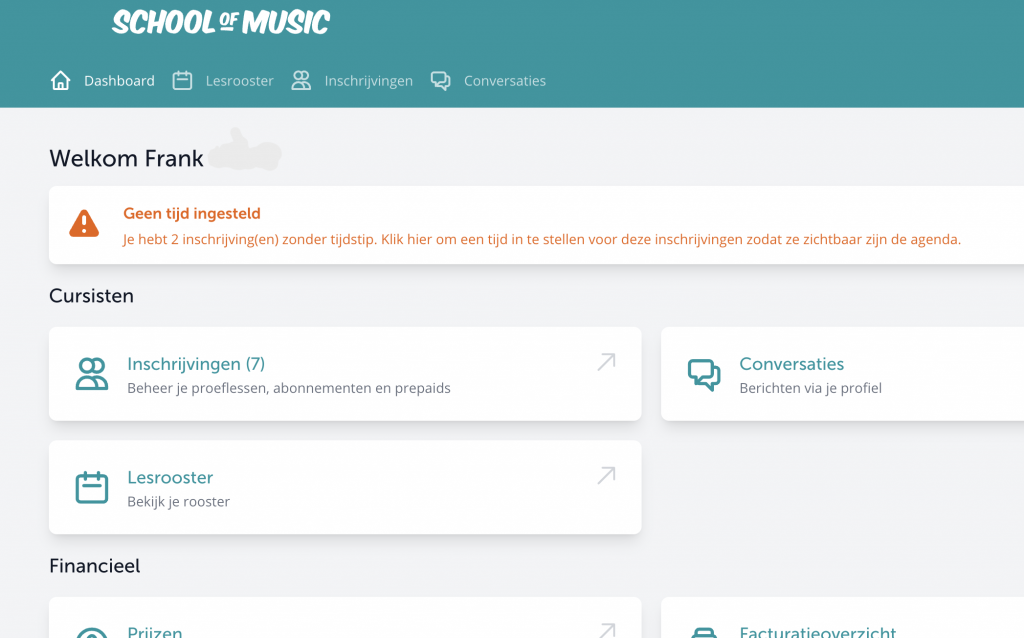
When you log in for the first time, several things are pre-filled. You will enter the dashboard. To be able to receive bookings, you need: a profile, a location, course offerings, and available times.
Account & Profile
To start, fill in your account details. You can also indicate here if you want to invoice us without VAT.
Profile
Describe who you are as a teacher and what your course offerings are. Keep your text understandable for beginners and also consider parents looking for something for their child. Think in advance about which target group will be most interested in your lessons and write the text with these readers in mind.
It is not allowed to mention external links or contact details in your profile or in your messages via the contact form. It is really intended that people first book a trial lesson through the site. Once the applicant has made a booking, you will receive each other’s contact details.
Profile Photo
At the top, you can upload a profile photo. Use a recognizable close-up photo of yourself looking into the lens. The profile photo will be displayed in a small format at the top of your profile. Keep in mind that first impressions are important when booking a trial lesson; a photo where you are smiling is preferred.
Introduction
Write a personal introduction in the first paragraph: who are you, how did you start with music, who or what has influenced your musical views, and what do you hope to impart to your students.
Course Description
For each course you teach, write a separate paragraph. In this, describe the content of the course as well as your own background with the instrument or discipline. Describe what you can offer a student for each course so that expectations are clear. Also, make sure practical details are clear, such as: do students need their own instrument for the trial lesson and what is the minimum age.
Group Lesson
To offer a group lesson, you also need to have (separate) availability for this. Note: When you provide availability for Group Lessons, you cannot be booked for Private Lessons at that time. This requires some planning because there needs to be a group, and everyone must be able to attend at the same time. If you want to start a group, it is best to set the availability a bit further into the future or ask existing students to participate in the group.
Media Box
You can also add photos and videos to your profile; when posting photos, think especially: how does this come across to a potential new student? Keep in mind that it should be accessible for beginners and that visitors are also curious about you as a teacher. The order matters, and you can arrange it by dragging your content in the media box from left to right. Landscape photos work best in terms of aspect ratios. And for videos, you can currently only add YouTube links.
Offer
In the offer section, you choose the disciplines you offer, the location of your lessons, and the times you are available.
Locations
Physical Lessons
Add your address and indicate what type of location it is. You can omit the house number if you do not want this displayed on the site. You can then add it in the field at the bottom so that it is only sent in the confirmation email after the booking.
Finally, upload photos of the interior of the location. Preferably take the photos in daylight, ensure it looks tidy, and set up the location as it would look during a lesson.
Lessons at Home
If you teach at home, you choose the postal areas where you can be booked. You can set a separate lesson price for this.
Video Lessons
For video lessons, you do not need to have a physical location available. To stand out well, it is advisable to upload a video showing what a lesson via video looks like.
Group Lessons
The new group lessons module is online.
We now offer the following group lesson options:
- Duet, hourly rate min. € 25.00 – max € 50.00
- Small Group Lesson, hourly rate min. € 15.00 – max € 25.00
- Large Group Lesson, hourly rate min. € 10.00 – max € 25.00
For each option, a different min-max hourly rate is applicable. Duet speaks for itself and is for 2 students. ‘Small Group Lesson’ is from 3 people and ‘Large Group Lesson’ is from 6 people, but you are free to choose which type you want to implement.
Prices
In the prices section, you choose your own prices. By default, your rate is set to the minimum rate. The price you can set is the price per hour for a subscription excluding VAT. A prepaid credit is slightly more expensive than a continuous subscription; this is automatically calculated based on the price you set for subscriptions. For a prepaid credit, the following surcharge applies:
- 90 minutes: 21%
- 180 minutes: 14%
- 360 minutes: 8%
- 720 minutes: no surcharge
Trial Lesson
The price of a trial lesson is equal to your normal lesson price. The trial lesson lasts 30 minutes.
What is a Suitable Rate?
Choosing a suitable rate can be challenging. A few things you can consider are:
- Your own experience and educational background
- The investments in your lesson location and instruments
- The income level in the neighborhood where you teach
- The prices of teachers in the area
It is not always better to be cheaper than others. You can also emphasize your qualities with a higher price. Just make sure to clearly communicate this on your profile with good photos of your location and a clear explanation of the lesson content.
Effect of Price Changes
Prices you change here will take effect after 2 months. Your students will receive a notification 6 weeks before the change that the prices have been modified.
Availability
Indicating Availability
After you have chosen the location options and created the course offerings, you choose the times when you are available for a trial lesson. You create a block by clicking on a time and dragging down or by clicking on the plus sign. Here, you can only choose times that apply every week. Availability will be blocked by your registrations and by the times you add as occupied in the lesson schedule.
Limit the Times
Most bookings are scheduled on weekdays between 4:00 PM and 8:00 PM and during the day on weekends. We recommend not making yourself available for more than 4 hours in a row and not choosing more than 4 days a week.
Video Lessons and Lessons at Home
Don’t forget to include all your offerings in the availability. For different locations or lesson types, you need to create separate blocks.
Group Lesson
Do you give group lessons? Then make sure to always provide a time for which the group lesson takes place. If you want to start a group, it often works best to first ask existing students so you have a group to start with. If you choose group lesson in your availability planner, this time can be booked by multiple people simultaneously.
Mark Blocks as Occupied
If someone registers after the trial lesson, the time of the trial lesson will also be blocked for the duration of the registration. You can adjust this time yourself in the registrations screen.
Set Holidays
You determine the dates on which you do and do not give lessons. You can schedule holiday dates on the Holidays page until the 25th of the previous month. No lessons will be scheduled on holiday dates, and your availability for trial lessons will be blocked.
After the 25th, the lessons are scheduled and invoiced to the student. If you still need to cancel lessons, go to registrations and remove the relevant lessons from the calendar for the student. You can manually block the availability for trial lessons by placing an ‘occupied’ block over it in this case.
Manage Registrations
When you receive a trial lesson booking or registration, this will appear under registrations.
Subscription
You can see on the right side of the screen which lessons are scheduled in the calendar. You can easily add or remove lessons here. Everything you change will also change on the invoice for the student. We send the invoice to the students in advance: on the 25th of the month, we invoice for the following month. Changes made before the 25th will appear on the student’s invoice. If you make a change after this point and the invoice has not yet been paid, the student will receive an adjusted invoice the next day. Note: invoices to the student must always be paid before the 25th of the month; otherwise, the registration will be terminated, regardless of the timing of the change. We do this to prevent payment arrears of more than a month.
Prepaid
With a prepaid registration, you must schedule the lessons yourself on the dates you have agreed upon with the student. You can view the lessons on the billing overview after you have added them to the calendar.
Billing
Upload Invoice
At the end of the month, you can upload your invoice here. Check all amounts before you upload the invoice. The lessons you charge us will also be billed to your students.
VAT and KOR
On the Account page, you choose how you want to invoice us. If you are used to invoicing VAT, please fill in your VAT number here. If you are using the small business scheme (KOR), we also need a VAT number from you.
If you do not (yet) have a VAT number and live in the Netherlands, please fill in your date of birth. In this case, you can declare your earnings with us in your annual tax return under ‘Income from other activities’. You will not be using discount schemes for entrepreneurs.